
Context Engine
US$39
- Guided setup
- Business audit
- Workflow and context registries
- Corrections and history
One-time purchase. Notion and AI subscriptions are separate.
Refund policy
Refund policy
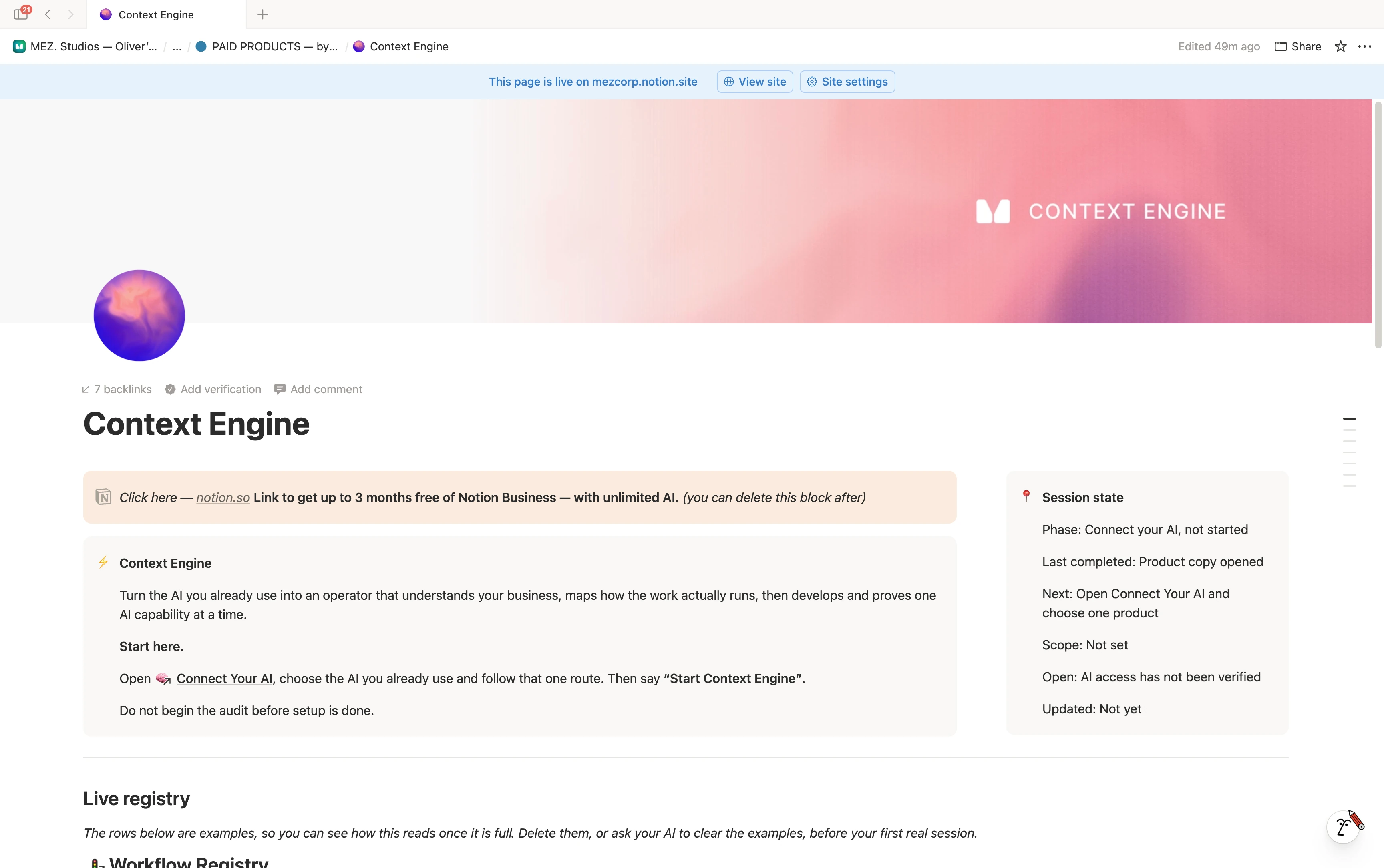
Map how your business runs. Find where AI can help. Build and test one useful workflow, with the context saved in your own Notion.
One-time purchase. Your own Notion workspace.
How it works
Start with the AI you already use. Build one capability at a time.
Connect your AI and complete Buyer Intake. Start with the business you have today.
Map your people, recurring jobs and decisions. Correct the Business Map until it reflects how the work actually runs.
See where AI could help and what context it needs. Choose one workflow worth developing.
Try the workflow on real work. Review the output, record what passes and keep what is useful for the next run.
Inside Context Engine
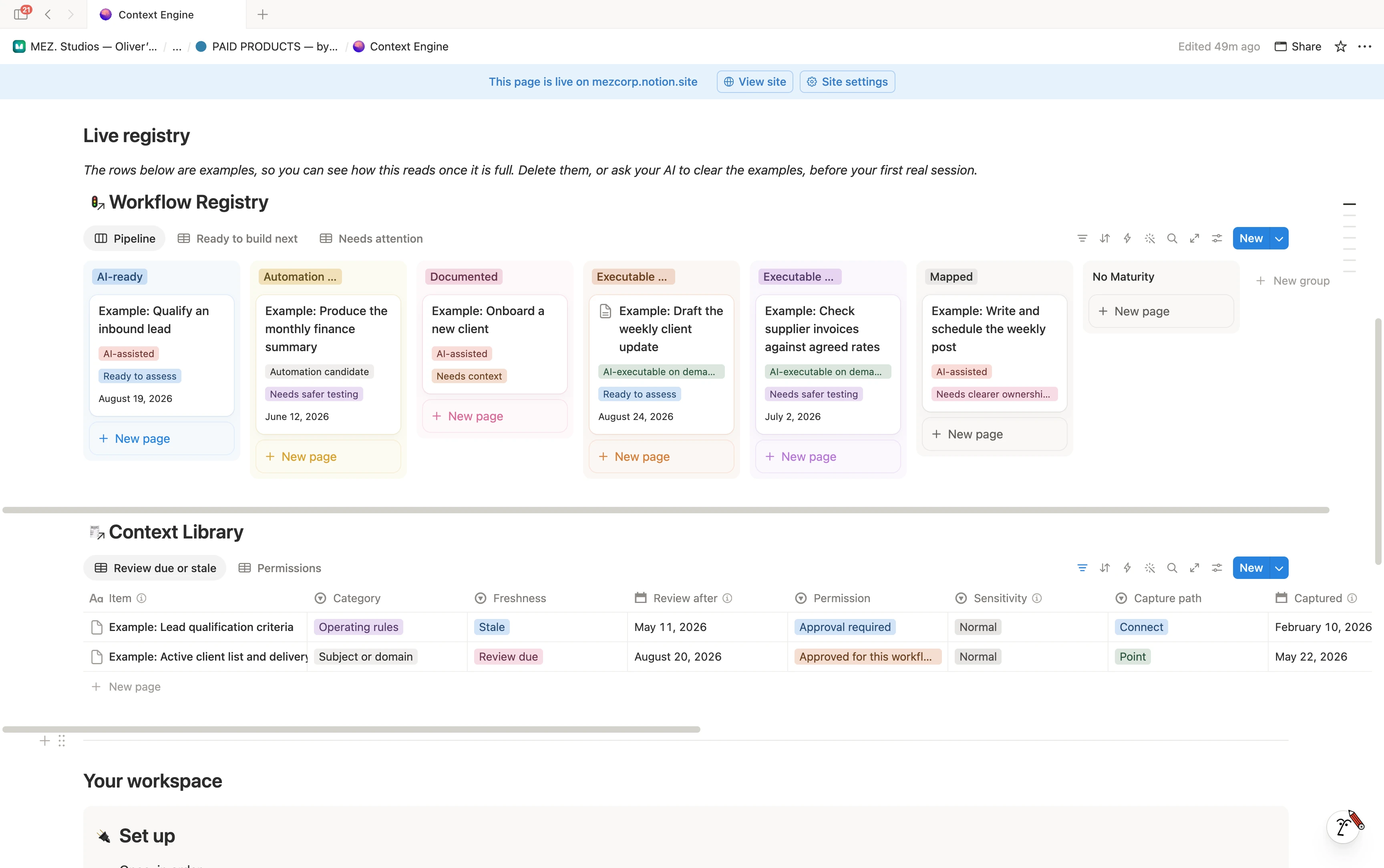
A clear view of your workflows and the information they need, held together in one workspace.
The Workflow Registry tracks each job from mapped to ready to assess. The Context Library keeps the sources, permissions and review dates that support it.
The understanding stays with you
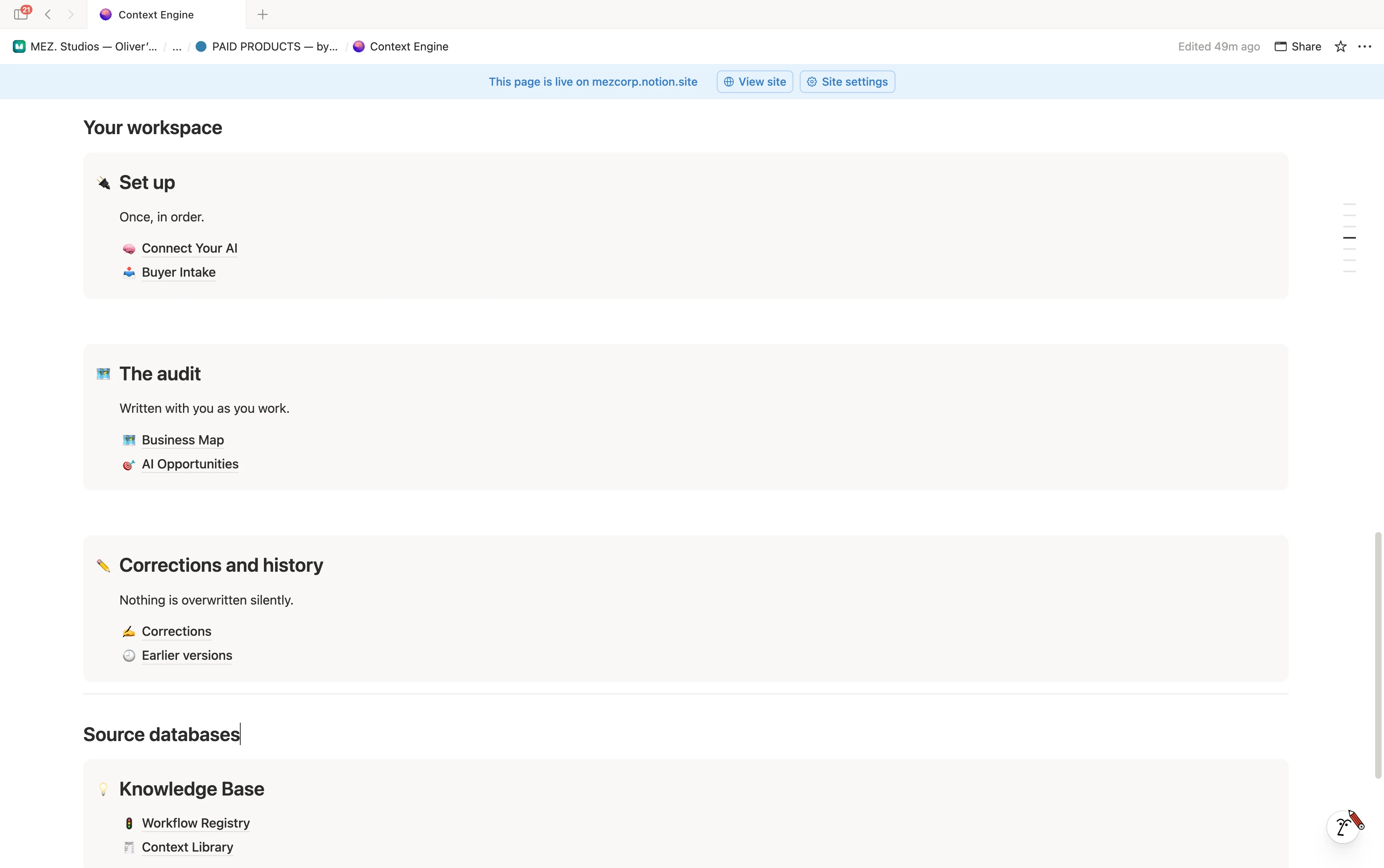
Keep the business map, the decisions and the corrections in your own Notion. Return to the work with the context already recorded.
One purchase. A foundation to build on.
Get the workspace and a process for turning what you know into context your AI can use.
Use it in your own Notion workspace. Secure checkout via Stripe.
A Notion workspace and a guided process for understanding your business, finding useful AI opportunities and developing workflows. It includes setup, the business audit, workflow and context registries, and a record of corrections and progress. You bring the business knowledge and review the work with your AI.
Your own Notion workspace and access to a supported AI route. Start in Connect Your AI and follow the instructions for your chosen tool before beginning the audit. Notion and AI tool subscriptions are separate from the Context Engine purchase; plan and access requirements depend on your route.
You initiate the work, choose the scope and approve consequential steps. Context Engine helps develop and test a workflow before treating it as ready to reuse. It does not make every process an automation or give an AI unrestricted access to your business.
The process is built around scoped access and your approval. Use the Context Library to record what a source is for, its permissions and when it needs review. Keep credentials out of it, and use safe summaries where appropriate. Your chosen Notion and AI tools still determine where information is stored and processed.
Context Engine has its own workspace and starting process. AI OS organises day-to-day business operations; Context Engine focuses on understanding the business and developing useful AI workflows. You can use Context Engine without buying AI OS.
Yes. Session state records where you are, what was completed and what comes next. The map, workflows, context and corrections live in the workspace so the work has somewhere to continue.
Context Engine